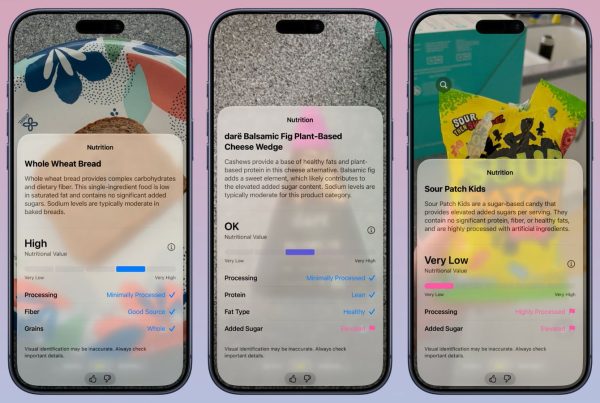

iOS 27 brings a much more convenient way to look at food. With Visual Intelligence in the Camera app, you can point your iPhone at a meal and get quick nutrition feedback right from the viewfinder. For people who want to track calories, that is an exciting step forward.
But there is an important limitation. Visual Intelligence can help you understand whether a food looks healthy, high protein, or less processed, yet it does not give you a precise calorie count. It also does not build a full long-term food log inside Apple Health. If you want to track calories more seriously, you will likely need a more complete tool.
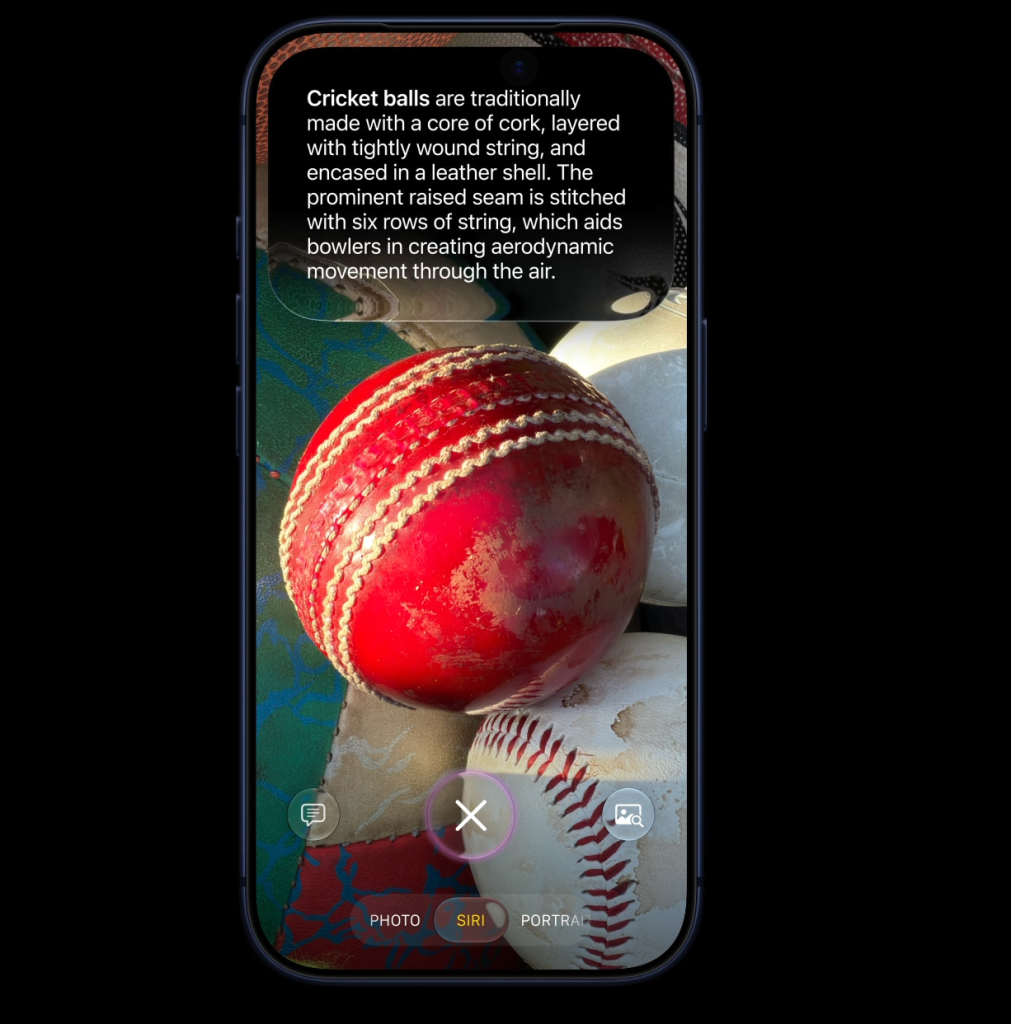
iOS 27 Visual Intelligence Makes Food Recognition Feel Natural
Recent reports suggest that iOS 27 expands Visual Intelligence with a nutrition-focused experience inside the Camera app. Instead of opening a separate app, you can use your camera to identify food and get a quick read on its nutritional quality.
That makes the process feel much closer to real life. You see the food, you point the camera, and you get feedback immediately. For many people, that is the most natural moment to make a nutrition decision.
The value here is convenience. Visual Intelligence lowers the barrier to entry, which means more people will actually stop and think about what they are eating.
A Real-World Way to Use It
Imagine you are sitting in a restaurant or browsing a delivery app. You see a meal, you want to know whether it is a good choice, and you do not want to spend time manually searching every ingredient.
Visual Intelligence is useful in exactly that moment.
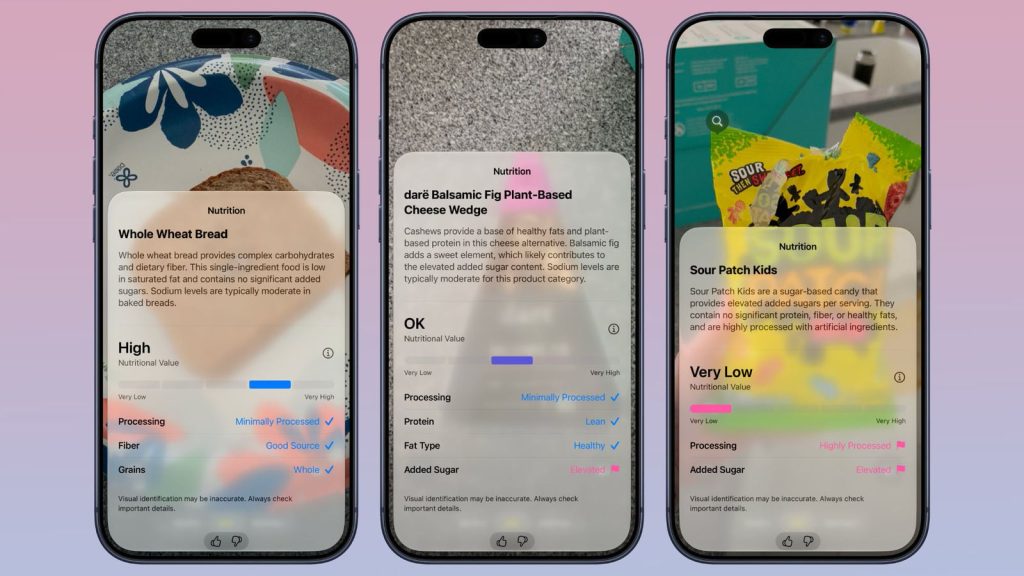
It can help you quickly understand the nutrition story behind a meal. If the food is high protein, minimally processed, or seems more balanced, that information can help you make a faster decision.
For casual use, that is already useful. It gives you a quick answer and helps you feel more informed before you eat.
What iOS 27 Still Does Not Give You
The problem is that a nutrition summary is not the same thing as calorie tracking.
iOS 27 Visual Intelligence, as currently reported, does not provide a specific calorie number for the food you are looking at. It can tell you more about the nutritional value, but it does not give you the detailed breakdown many users want when they try to track calories consistently.
There is also another limitation: the data does not appear to build a full food history inside Apple Health. That means you do not get a complete, long-term record of what you ate across the day, week, or month.
So while Visual Intelligence is convenient, it stops short of becoming a true daily calorie tracking system.
Why That Matters for People Who Want to Track Calories
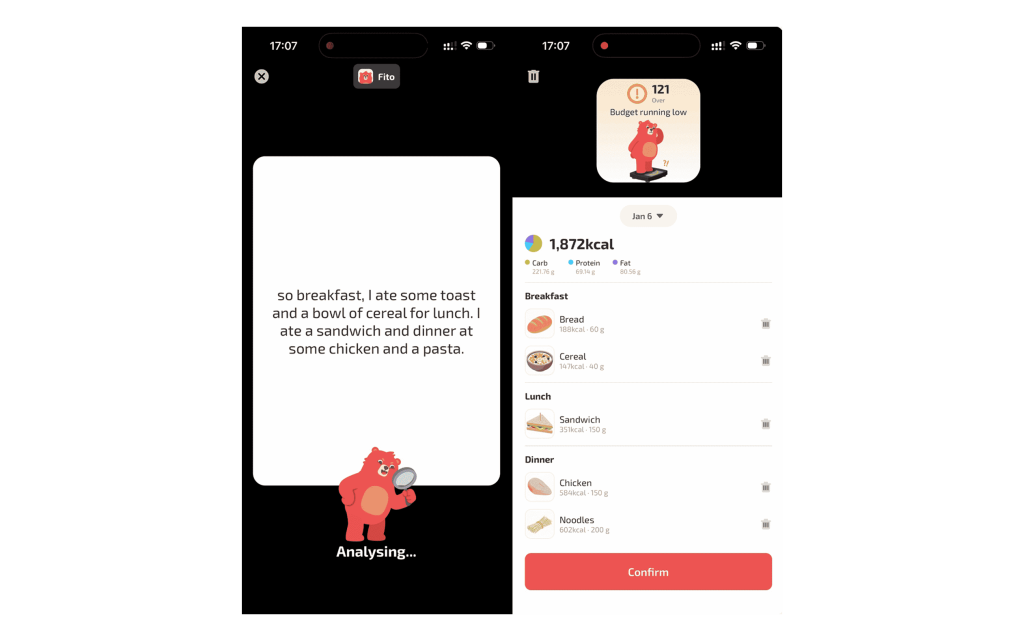
If your goal is to stay on top of your eating habits, one-off feedback is only part of the story.
To track calories well, you usually need:
- A specific calorie estimate
- A record of what you ate across the day
- A way to understand patterns over time
- A connection between food intake and exercise burn
Without those pieces, it is hard to answer the real questions:
- Am I eating too much or too little?
- Am I getting enough protein?
- What is my actual daily intake?
- How does food fit with my exercise and fasting goals?
That is why a quick camera-based nutrition check is helpful, but not enough by itself.
Fito Goes Further with AI Food Recognition
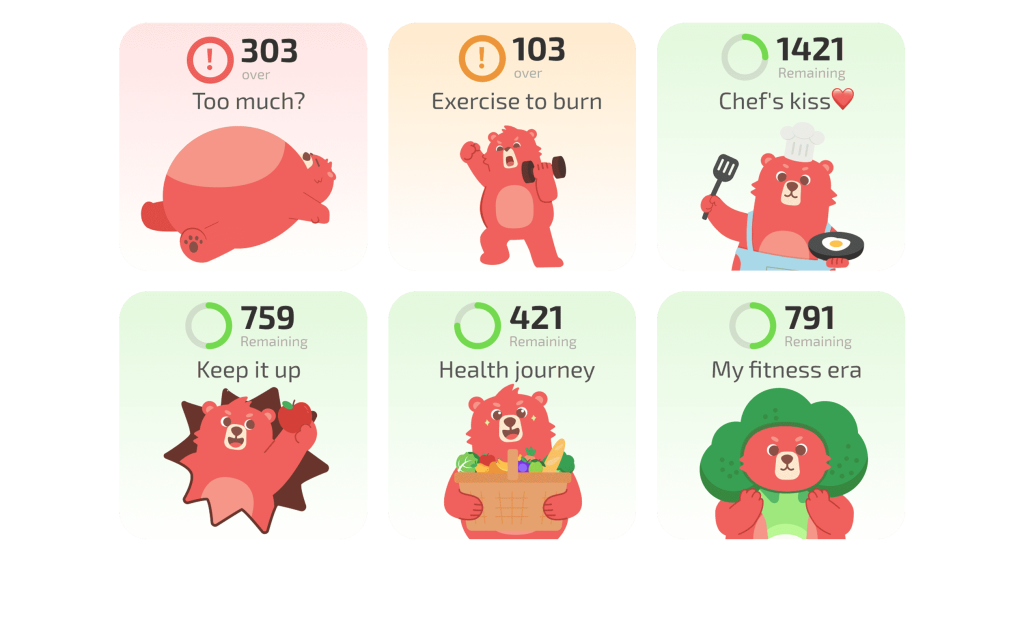
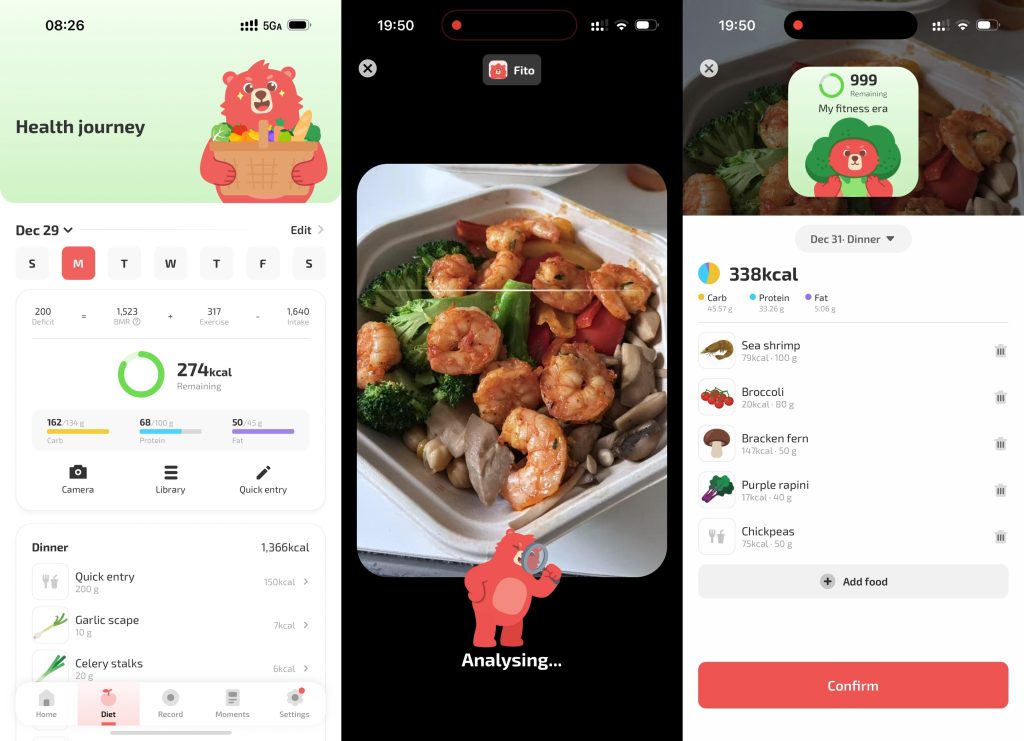
Fito is built for people who want more than a surface-level nutrition lookup. Its AI camera recognition can identify food and help you log it more deeply, so you are not just guessing from a general health score.
With Fito, you can:
- Recognize food with the camera
- Directly calculate calories
- Estimate macros more clearly
- Build a full-day food log
- Combine food intake with exercise burn
- See your calorie deficit more intelligently
- Support intermittent fasting habits
That makes Fito a much better fit for users who want to track calories in a practical, repeatable way.
The Bigger Advantage: A Full Feedback Loop
The real strength of Fito is that it does not stop at recognition.
Visual Intelligence can help you understand whether a meal looks healthy. Fito helps you understand what that meal means for your actual day.
For example, if you eat a high-calorie lunch, Fito can help you see how that affects your remaining calories after exercise. If you are trying to stay in a calorie deficit, that kind of feedback is much more useful than a simple nutrition score.
This creates a feedback loop:
- Identify the food
- Estimate calories and macros
- Log the meal
- Compare intake with exercise burn
- Adjust the rest of your day
That is the kind of system that helps people build long-term consistency.
Why Fito Is Better for Daily Tracking
If you only need a fast glance at food quality, iOS 27 Visual Intelligence may be enough.
But if you want to actually track calories in a way that supports weight loss, habit building, or performance goals, you need more detail and more history.
Fito is better for that because it:
- Tracks calories directly
- Captures full meals and full days
- Connects food to exercise
- Supports fasting workflows
- Gives you a stronger foundation for long-term nutrition decisions
That means you can use Visual Intelligence as the starting point, then move into Fito when you want the full picture.
Final Thoughts
iOS 27 Visual Intelligence is a great step forward for quick food recognition in the Camera app. It makes nutrition feedback feel faster and more natural, and it is especially convenient in restaurants or delivery apps.
But if your goal is to track calories accurately, the feature still has clear limits. It does not give exact calorie numbers, and it does not turn into a full food log inside Apple Health.
For that deeper workflow, Fito is the better choice. It gives you AI food recognition, direct calorie tracking, exercise burn context, and a more complete nutrition record, so you can move from a quick glance to a real system.