
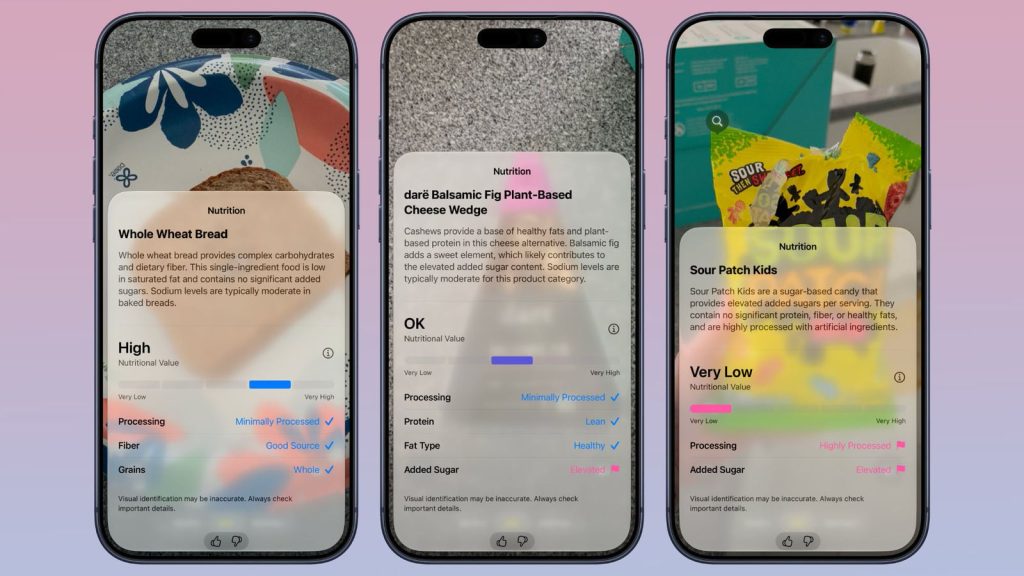
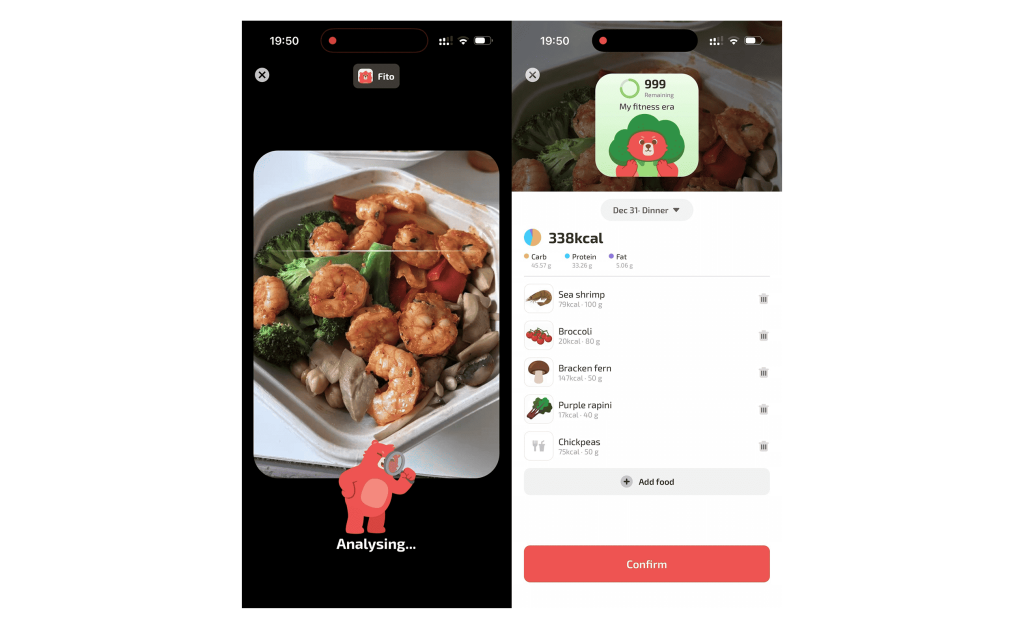
iOS 27 may make food recognition feel a lot more natural. With a new Siri mode in Camera, you can start a visual search right from your viewfinder, snap a photo of what you are eating, and get useful nutrition feedback and food calories in seconds. For a quick calorie estimate, that is already a big step forward.
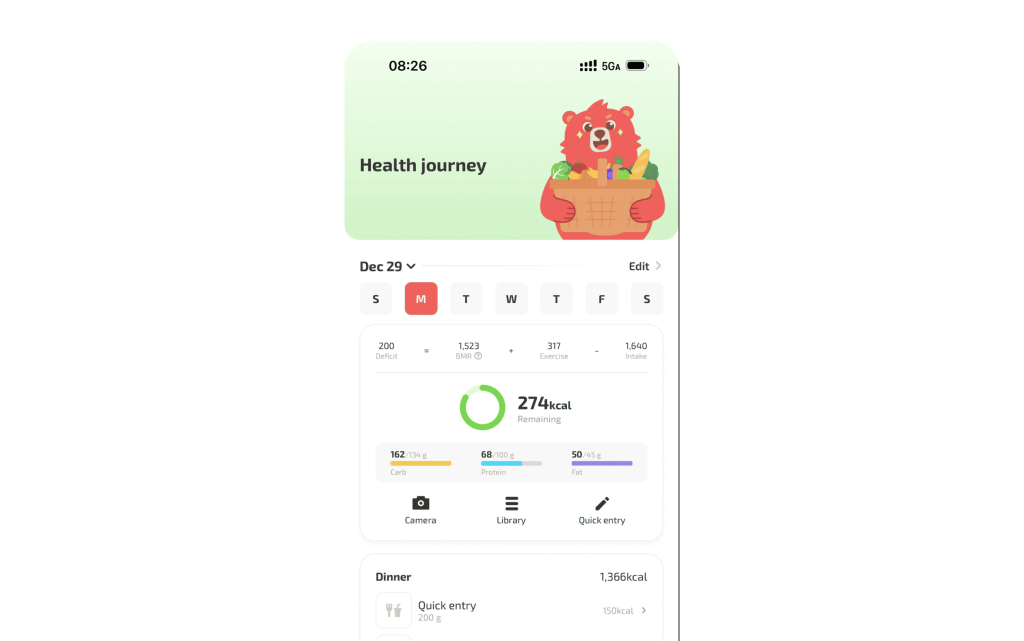
But if you want to go beyond a simple calorie check, there is a better next step. Fito can help you identify food more deeply, estimate the three major macronutrients, look at micronutrients, and record your entire day of eating. It can also combine your food intake with exercise burn and intermittent fasting, so your nutrition picture feels complete instead of fragmented.
What Is Siri Mode in Camera?
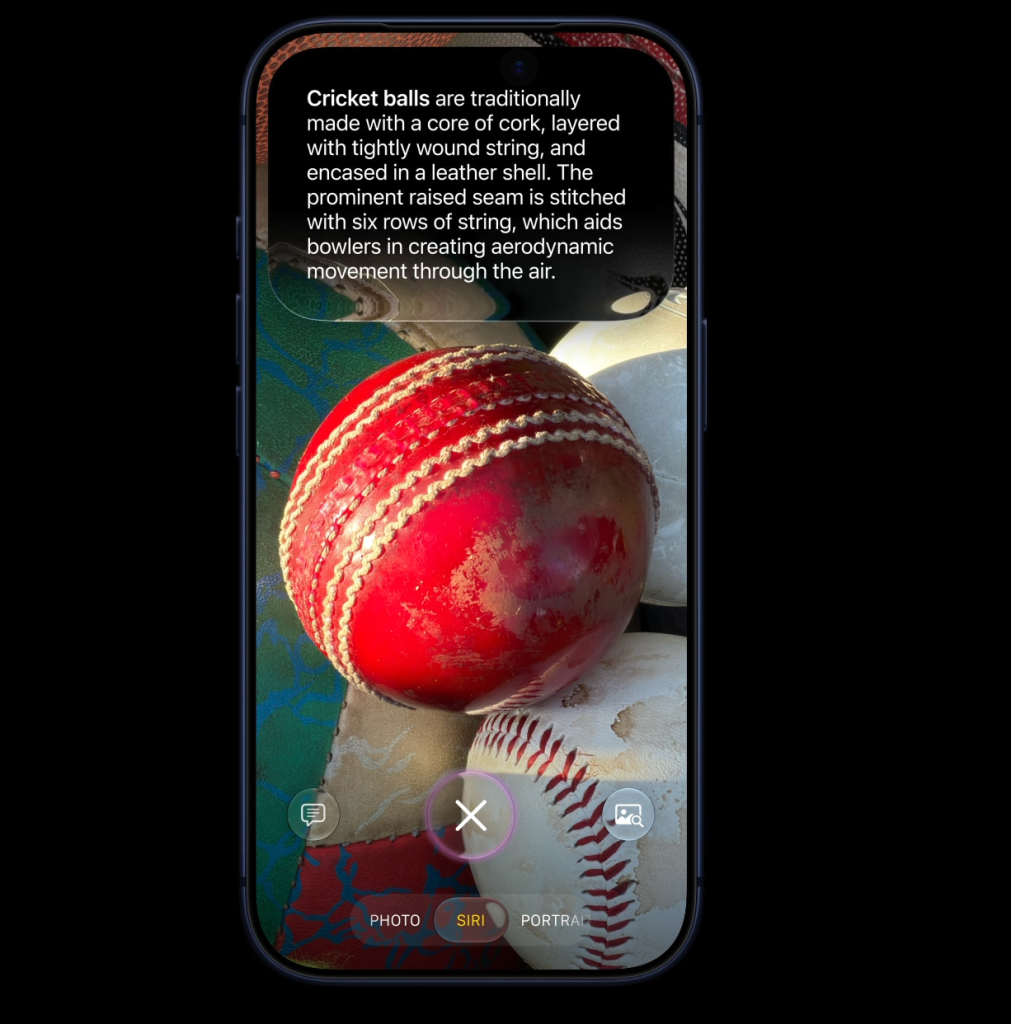
Siri mode in Camera is the idea of bringing visual search directly into the camera experience. Instead of opening another app, copying text, or searching manually, you could point your iPhone at a food item, let the camera understand what it sees, and get nutrition information on the spot.
That makes the experience much faster and more natural. If you are standing in front of a meal, looking at a packaged snack, or checking food inside a delivery app, the camera becomes the starting point for nutrition recognition.
For users who care about calories, this is especially useful because it reduces friction. The less work it takes to identify food, the more likely you are to track it consistently.
How It Helps with Food Calories
The biggest appeal of a visual search in Camera is speed. You can take a photo of a food item and quickly get calorie-related feedback without switching between screens.
That can be useful in a few common situations:
- You are about to eat something and want a fast estimate.
- You are ordering from a delivery app and want to check the meal before it arrives.
- You want a quick answer without manually searching every ingredient.
For many people, that kind of shortcut is enough to get started. It gives you a quick calorie read and helps you make a more informed choice in the moment.
Why Calorie Recognition Alone Is Not Enough
A calorie estimate is helpful, but it is only one piece of the nutrition puzzle. If you are trying to improve your diet in a serious way, you usually need more than a single number.
That is where Fito can help.
With Fito, you can go beyond “how many calories is this?” and get closer to “what am I actually eating today?”
What Fito Adds Beyond Camera Search
Fito is built for people who want deeper nutrition tracking, not just a quick snapshot. It can help you:
- Estimate the three macronutrients in your food.
- Look at micronutrients when you want a fuller nutrition picture.
- Record an entire day of food intake instead of a single meal.
- Combine nutrition with your exercise burn.
- Support habits like intermittent fasting and lighter eating windows.
That matters because real progress usually comes from patterns, not isolated meals. If you only know the calories in one item, you still do not know whether your day is balanced. Fito helps connect the dots.
A Better Workflow for Busy Days
Imagine this flow:
- You see a meal in Camera or in a delivery app.
- You use Siri mode in Camera to get a fast visual search.
- You get a basic calorie estimate right away.
- If you want more detail, you open Fito to log the meal more fully.
- Fito helps you track macros, micronutrients, exercise, and fasting together.
That gives you the best of both worlds: a fast first look from the camera, and a more complete nutrition system when you are ready to go deeper.
Why This Matters for Weight Loss and Habit Building
The biggest challenge in nutrition tracking is not knowledge. It is consistency.
Most people already know they should pay attention to what they eat. The hard part is doing it often enough that the data becomes useful. If the process feels slow, people skip it. If the process feels easy, they keep going.
That is why camera-based food recognition is such a strong idea. It reduces the effort needed to start. And when you pair that with Fito, you get a system that does more than identify calories:
- It helps you stay aware of what you are eating.
- It makes logging meals feel less annoying.
- It lets you connect food intake with movement and fasting.
- It gives you a clearer picture of the whole day, not just one item.
Who Should Try Fito After Using Camera Search?
Fito is a strong fit if you want more than a quick visual answer. It is especially useful for people who:
- Want to track food calories more accurately.
- Care about macros, not just calories.
- Want to understand micronutrients.
- Need a simple way to log a full day of eating.
- Also track exercise and fasting in one place.
If you like the convenience of Siri mode in Camera, but want something more advanced and more complete, Fito is the natural next step.
Final Thoughts
iOS 27 Siri mode in Camera could make visual food search much easier. For a quick calorie estimate, it is a smart and convenient shortcut. But when you want deeper tracking, Fito gives you much more: macros, micronutrients, daily intake logging, exercise burn, and intermittent fasting support.
So the simplest way to think about it is this: use the camera for the fast first look, then use Fito when you want the full nutrition picture.